
Clicker
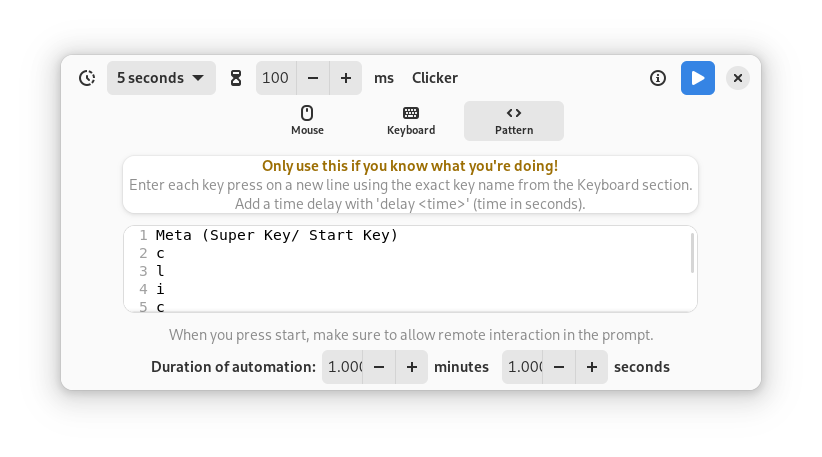
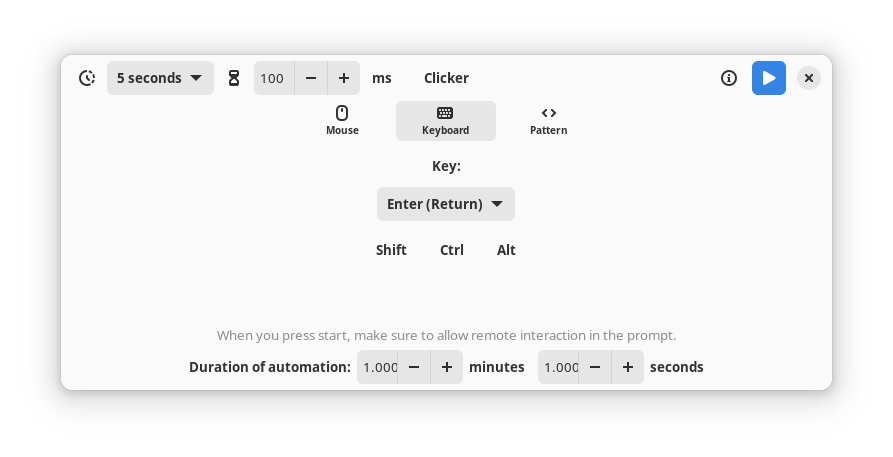
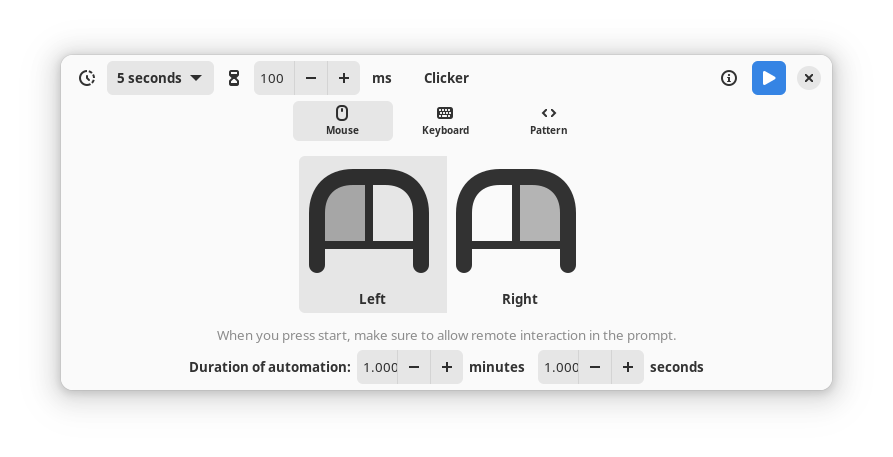
Discover Clicker, a dedicated Linux automation tool. Read our review to see how this utility automates mouse clicks and key presses on Wayland and X11.
Unlike many basic automation tools that struggle with modern display servers, Clicker auto clicker stands out by offering native compatibility across both Wayland and X11 environments on Linux. Developed by Satvik Patwardhan, this lightweight utility solves a common headache for Linux gamers and power users who need reliable, repeated input simulation without complex scripting configurations.
How the Clicker Auto Clicker Simulates Input
At its core, this utility is designed to mimic standard user interactions, such as mouse clicks and keyboard presses, at precise intervals for a specified duration. To achieve compatibility with modern Linux desktops, the application utilizes a clever workaround: it simulates a remote desktop session. Because of this security-focused architecture, users are prompted to grant permission each time an automation sequence is initiated, ensuring you retain full control over when the tool interacts with your desktop environment.
Key Features and Capabilities
- Multi-Display Server Support: Seamlessly operates on both legacy X11 and modern Wayland sessions.
- Flexible Interval Settings: Define exactly how frequently your inputs should repeat.
- Duration Control: Set a predetermined active runtime for your automated tasks.
- Gaming Utility: Highly useful for incremental games, testing scenarios, or repetitive in-game tasks.
Important Usage Considerations
When implementing the Clicker auto clicker in your workflow, there is an important technical detail to keep in mind regarding task interruption. Because the Global Shortcuts portal is not yet universally adopted across all Linux distributions, there is currently no native hotkey to halt an active automation before its pre-set duration expires. Users should expect this limitation to resolve naturally as individual Linux distributions begin packaging updated versions of xdg-desktop-portal backends that feature integrated global shortcut support.
Who Is This Automation Tool For?
This software is an excellent fit for Linux enthusiasts, developers testing user interfaces, and gamers looking to automate repetitive physical inputs. Its straightforward interface removes the barrier to entry, making desktop automation accessible without requiring command-line expertise.
Where to Find the App
If you are ready to streamline your repetitive desktop tasks, you can explore the application further and find setup details on its official distribution channel. To get started, visit the official store page on Flathub.